
Enabling Level Info's Sent indicator
Level Info’s sent indicator does not work natively on GDPSs and therefore requires manual configuration; this guide covers how to set it up!
Find your GDPS’ sends endpoint
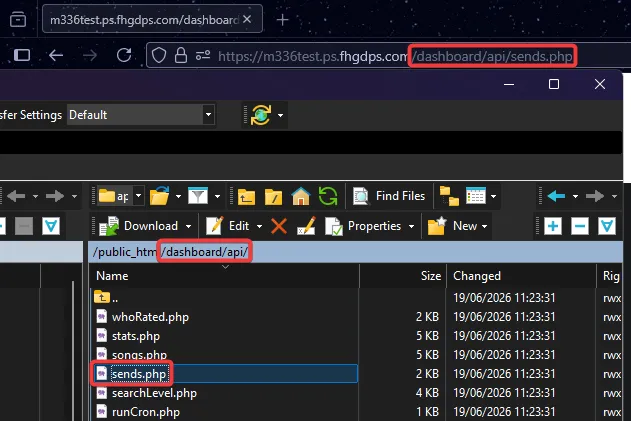
Section titled “Find your GDPS’ sends endpoint”First, find the full URL to the sends.php endpoint. It’s usually located under dashboard/api
Example: https://m336test.ps.fhgdps.com/dashboard/api/sends.php
Set the custom sends endpoint
Section titled “Set the custom sends endpoint”Next, go to Level Info’s settings and find “Custom Sends Endpoint”. Paste the URL you found, and make sure to append ?level= to the end
Example: https://m336test.ps.fhgdps.com/dashboard/api/sends.php?level=

Apply settings
Section titled “Apply settings”Save/apply the settings. The sent indicator should now work again!
Last updated: July 27th, 2026