
Custom RobTop-Like Rate Button
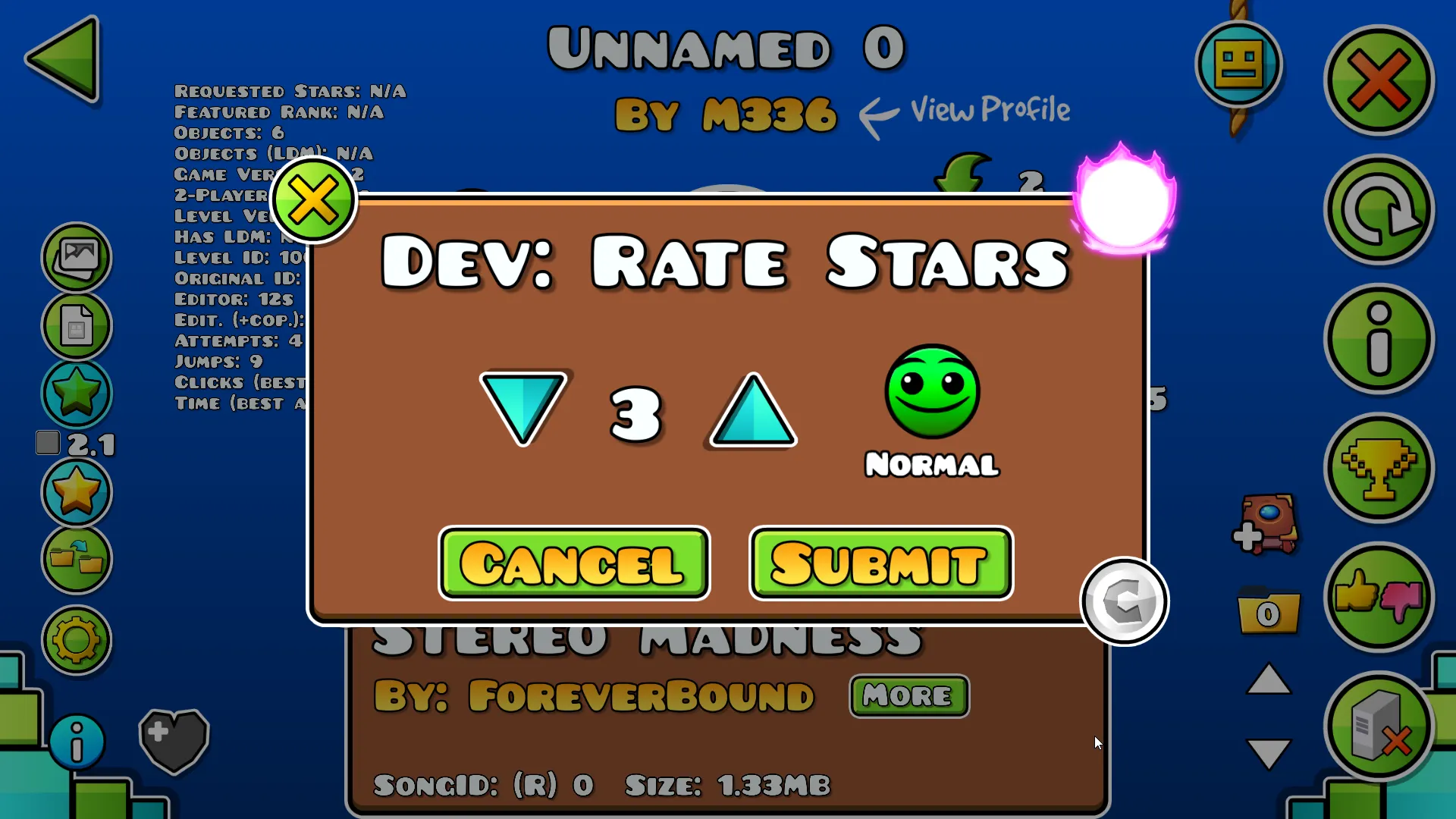
This guide will show you how to get an interface like the one RobTop uses to rate levels on GDPSs, through a Geode mod!
Introduction
Section titled “Introduction”Now, this mod isn’t limited to simply rating levels on GDPSs; it was also made for:
- Rating levels without struggling to find which permissions are needed; internally, it uses the
!rate&!unratecommands, but it adds a nice UI on top of them! - Being usable without a mod badge or clicking the “Req.” button in the game’s settings. You just need the required permission. This even lets you rate levels if you have the Leaderboard Moderator badge!
- Being as intuitive as possible: each button is straightforward in what it does, with no hidden meaning
Requirements
Section titled “Requirements”To be able to follow the rest of this guide, you will need to make sure that:
- You are on a GDPS (GDPS Switcher also works)
- You have the
commandRatepermission enabled (yep.. that’s it) - You use Geode v5.7.1 or later
Installing the mod
Section titled “Installing the mod”Installing the mod is fairly simple!
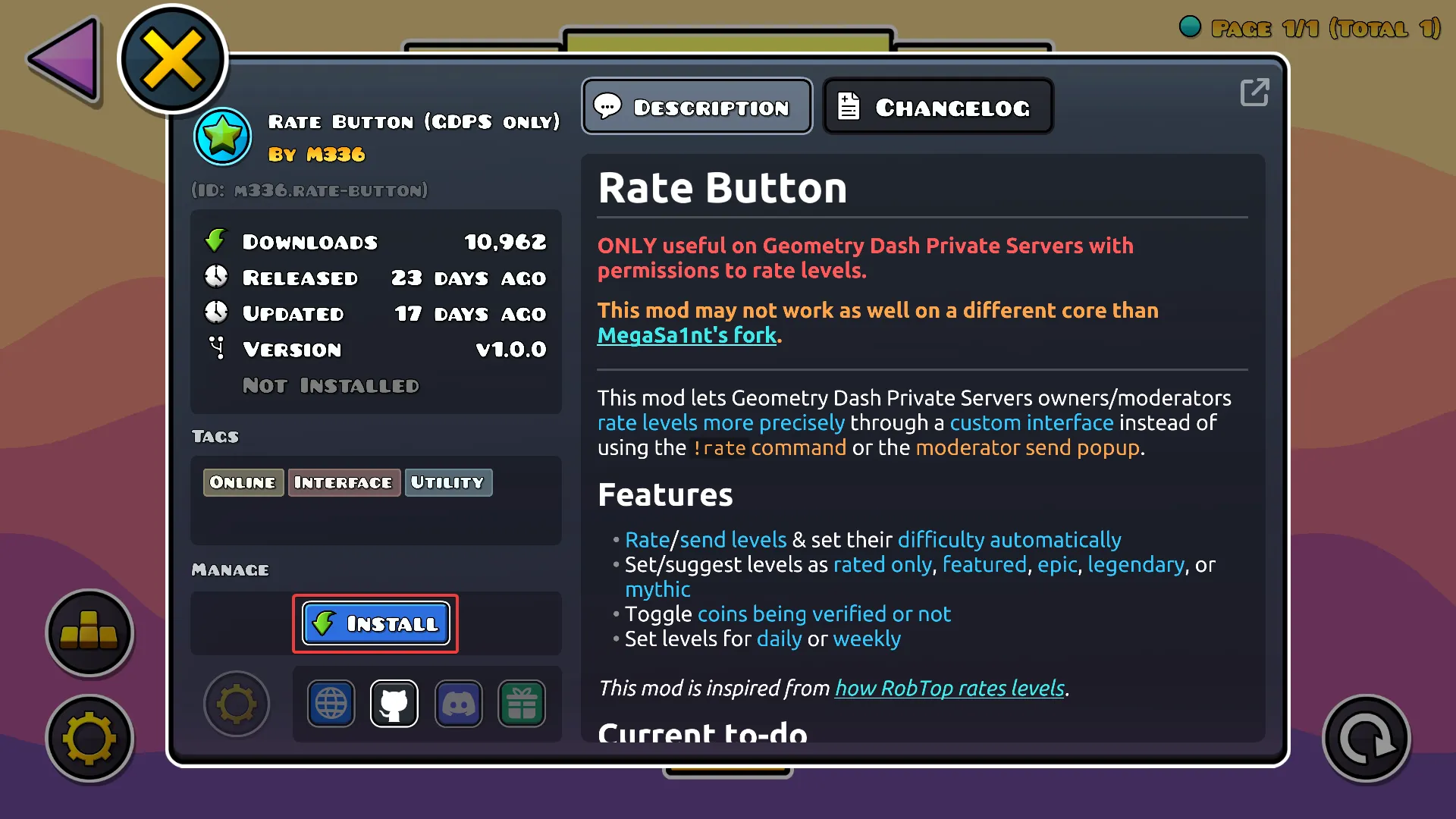
- Either download it manually and put it in the Geode mods folder,
- Or, in-game, download it from the index as shown below:
Using the mod
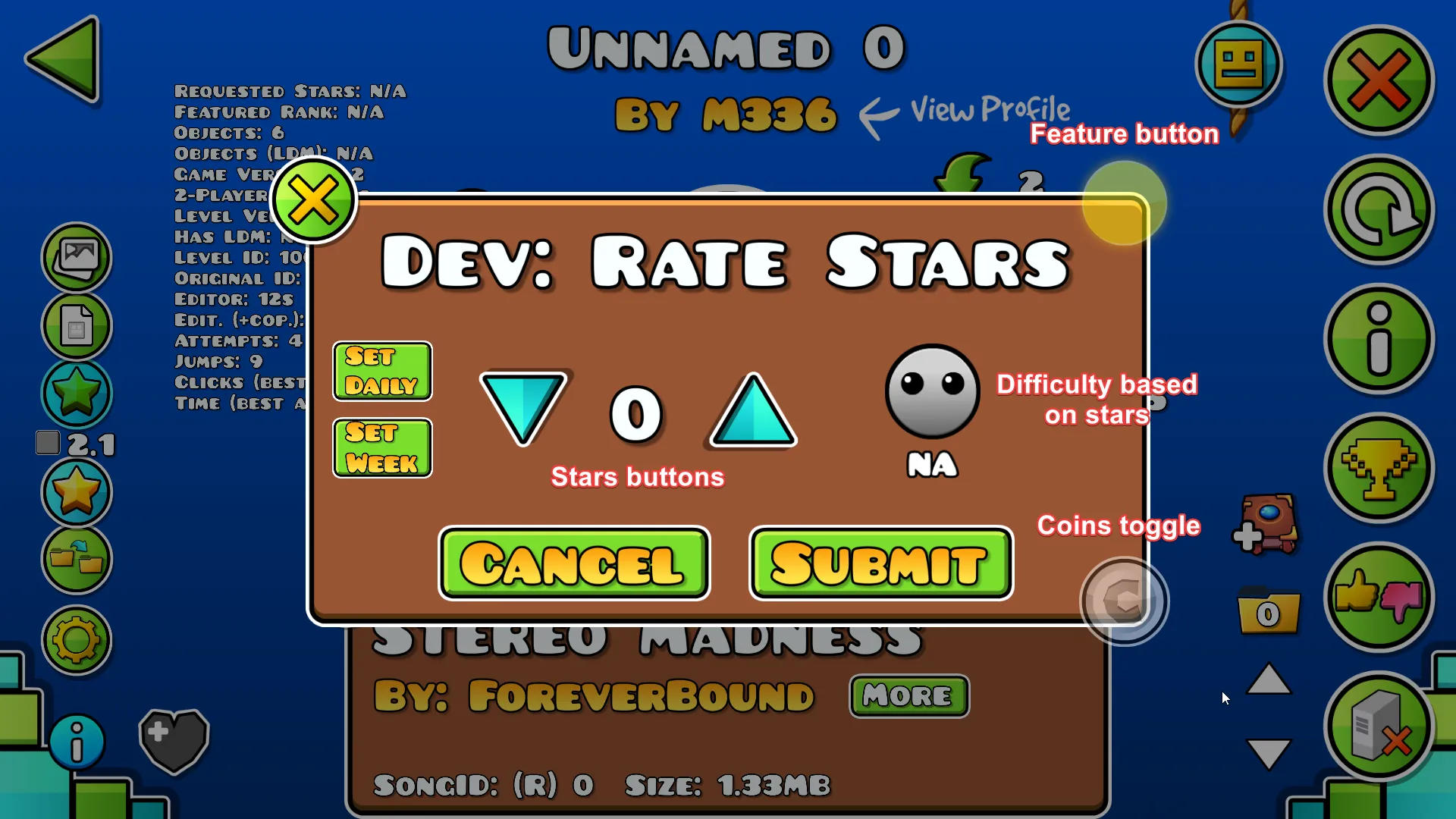
Section titled “Using the mod”Once you downloaded the mod and restarted your game, you’ll notice a new blue button when you click on a level. This opens the interface for rating levels!
- Clicking the down and up arrows decreases or increases the amount of stars that the level will have (the difficulty is set automatically based on that)
- Clicking the feature button sets whether the level is only rated, featured, epic, legendary or mythic
- Clicking the coins button toggles the coins being verified or not
Additional features
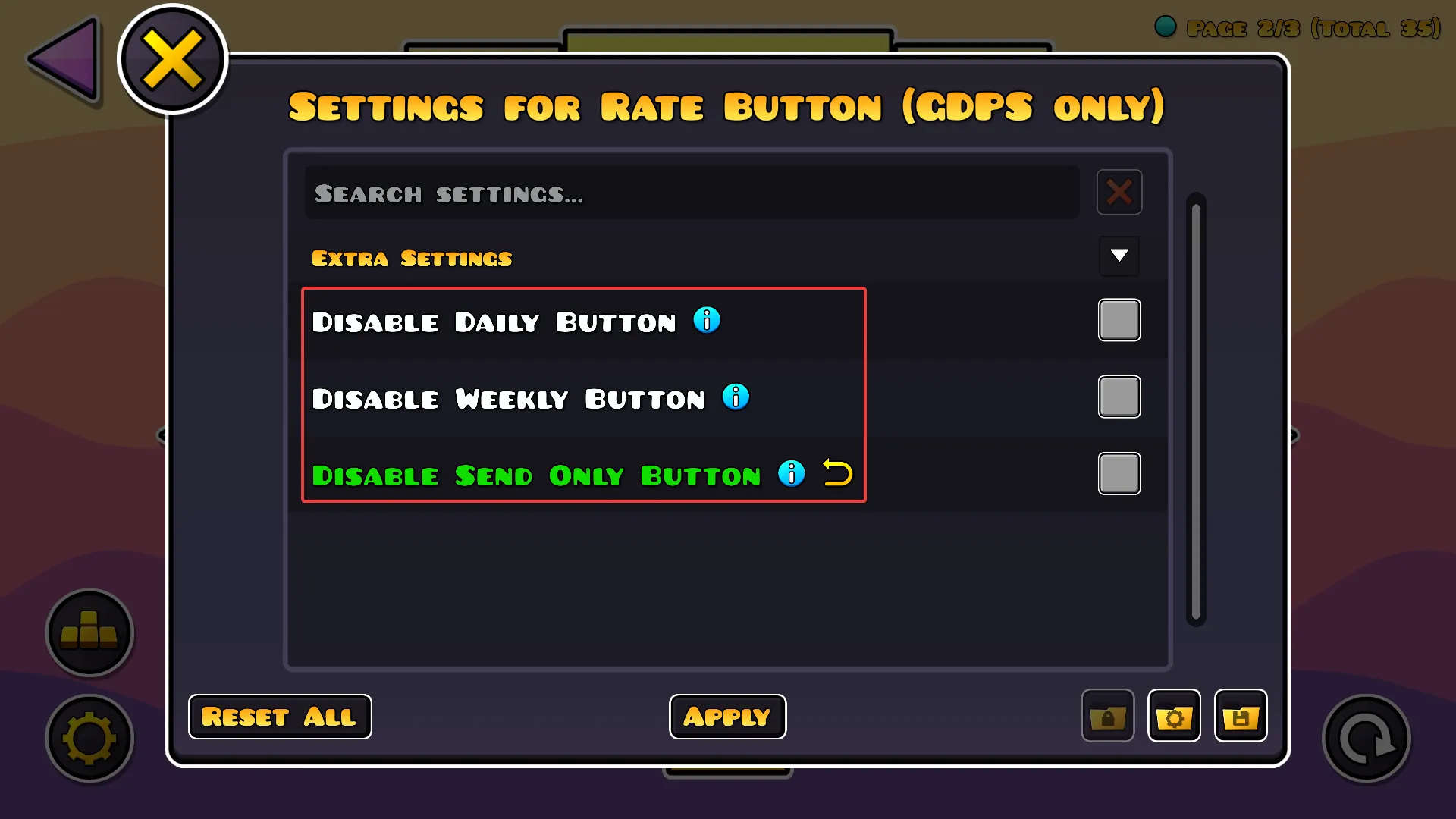
Section titled “Additional features”In the mod settings, you can also toggle these additional buttons on/off:
- The Set Daily button allows you to set the level as the next daily level (requires the
commandDailypermission) - The Set Week button allows you to set the level as the next weekly level (requires the
commandWeeklypermission) - The Send Only button allows you to suggest the level instead of rating it (requires the
actionSuggestRatingpermission)
Last updated: July 27th, 2026